
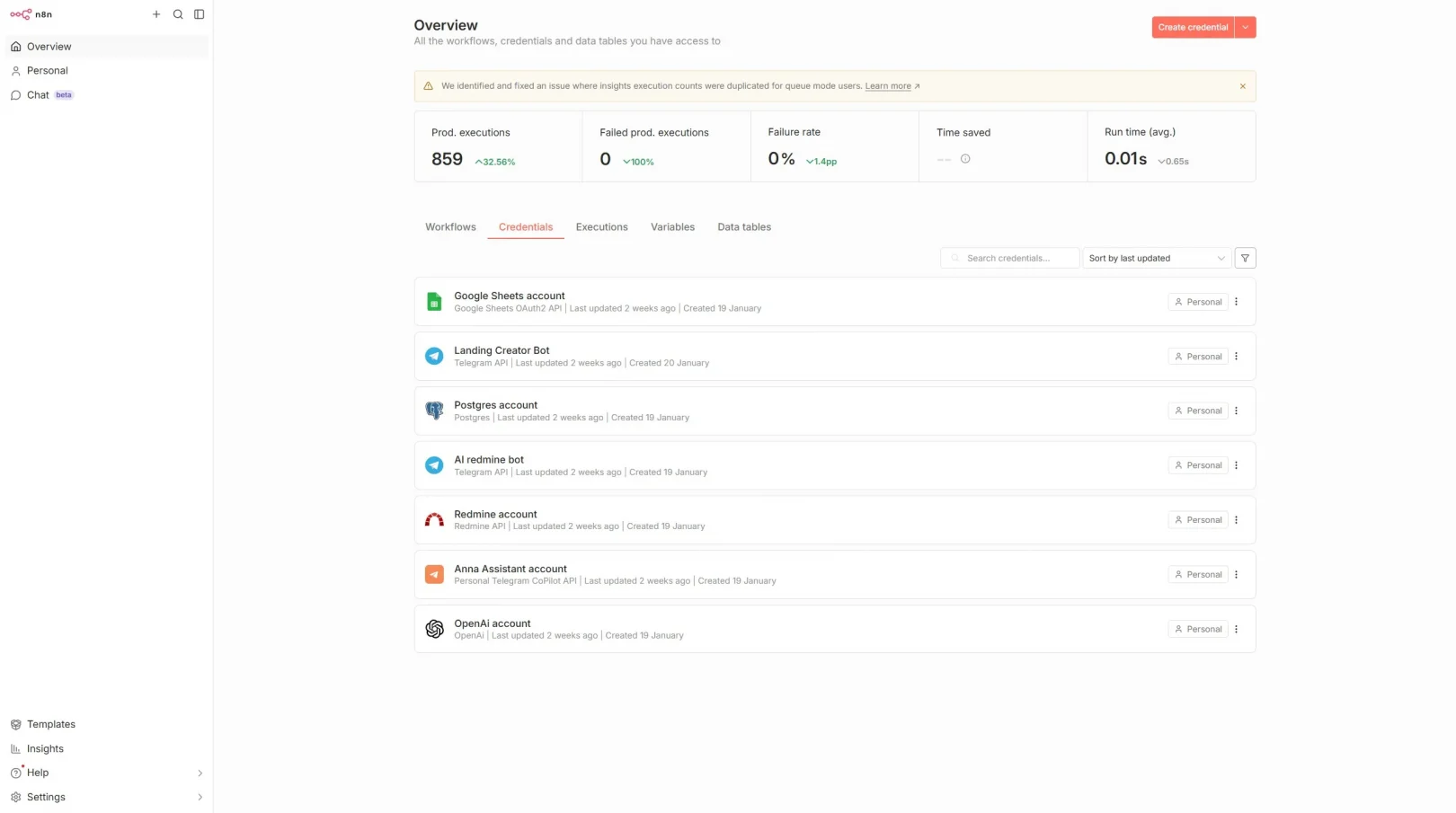
Overview
This project was a full move of an existing n8n automation environment from a hosted/cloud instance to a self-managed VPS. The goal wasn’t just “get it running”, but make it stable, maintainable, and secure: persistent database storage, proper HTTPS, reliable webhooks, clean upgrade path, and basic hardening so the server doesn’t become the weakest link.
Client goal
Move n8n to a VPS to get full control and reduce dependency on a managed/cloud environment, while keeping all existing automations working with minimal disruption.
Cost cut: $2220 (from 200$/month to 15$/month.)
What we migrated:
- 50+ workflows (including scheduled jobs and webhook-driven automations)
- Credentials and connections (handled safely, without exposing secrets)
- Webhook endpoints and public URLs (so integrations didn’t break)
- Environment settings required for consistent execution (timezone, base URL, encryption key, etc.)
Key problems we had to solve:
- Webhooks must keep working after migration
Many n8n setups “work fine” until you realize Stripe/Shopify/Telegram/etc. are hitting old webhook URLs. The migration plan had to preserve (or carefully replace) callback endpoints and ensure HTTPS is valid. - Data persistence and reliability
Running n8n without a real DB layer (or without correct volume persistence) is a common failure mode. We used PostgreSQL for durability and cleaner operations. - Security basics on a public VPS
Exposing admin panels and automation engines on the public internet without hardening is risky. We locked it down at OS and network levels, then limited exposure at the reverse proxy. - A maintainable upgrade path
“Works today” isn’t enough. We implemented a clear update/rollback routine, backups, and predictable deployment using Docker Compose.
Target architecture:
- n8n running in Docker
- PostgreSQL as the database backend
- Nginx reverse proxy in front of n8n
- Let’s Encrypt certificates for SSL/TLS
- Firewall rules and SSH hardening on the VPS
- Backups for database + critical volumes
Implementation plan (high-level)
Step 1. VPS preparation and baseline hardening
- OS updates and package cleanup
- SSH hardening: key-based auth, disable root login, restrict access where possible
- Firewall: only open required ports (typically 80/443 and restricted SSH)
- Optional but recommended: fail2ban to reduce brute-force noise
- Create a non-root deploy user with least privilege
Step 2. Deploy n8n with Docker Compose + PostgreSQL
- Docker + Compose installed and pinned to stable packages
- PostgreSQL container configured with persistent storage
- n8n container configured to use Postgres (not SQLite)
- Docker network isolation: database not exposed publicly, only internal network access
- Healthchecks and restart policies so services recover automatically after reboots
Step 3. Reverse proxy + HTTPS (Nginx + Let’s Encrypt)
- Nginx configured as the single public entry point
- Let’s Encrypt certificates issued and auto-renew enabled
- Correct headers and proxy settings for n8n (so it detects the public URL correctly)
- Proper webhook URL and base URL configuration to prevent broken callbacks
Step 4. Migration of workflows and production cutover
- Export/import workflows (and validate dependencies)
- Validate credentials and connections safely
- Verify scheduled workflows (cron/timezone)
- Verify every important webhook by firing test events from the source services
- Cutover with minimal downtime: switch DNS / endpoints once everything passes validation
Step 5. Backups, logging, and a safe update routine
- Automated PostgreSQL backups (pg_dump)
- Backup of key n8n volumes/config (where applicable)
- Log rotation and basic monitoring signals
- Simple update steps: pull image, bring stack up, verify, rollback if needed
What “hardening” included (practical baseline)
- SSH: key-only auth, disable password login, disable root login
- Firewall: allow only needed inbound ports, restrict SSH if possible
- Reverse proxy protection: optional basic auth / IP allowlists for the n8n UI (depending on client preference)
- Database isolation: Postgres not accessible from the internet
- Principle of least privilege for runtime users and file permissions
- Routine patching approach for OS + Docker images
Operational details that mattered
Keeping webhooks stable:
- Ensured correct public URL configuration in n8n
- Verified Nginx forwarded headers correctly (so n8n generates the right callback URLs)
- Tested webhook endpoints with real events (not just “it loads in browser”)
PostgreSQL persistence
- Used proper volume mapping for Postgres data
- Validated container restart behavior and recovery after reboot
- Ensured DB credentials stored securely via environment variables (no secrets in repo)
Upgrade/rollback readiness
- Documented the update process (pull new image, migrate, verify)
- Prepared rollback path (revert image tag, restore DB if required)
- Backups scheduled so “oops” does not become a disaster
Outcome:
- 50+ workflows successfully moved and validated on the VPS
- n8n now runs on a clean, repeatable Docker Compose deployment
- HTTPS enabled via Let’s Encrypt with auto-renewal
- Webhooks functioning reliably behind Nginx reverse proxy
- PostgreSQL provides stable persistence and smoother scaling than default storage
- Baseline security and operational hygiene implemented (firewall/SSH/least privilege/backups)
Tech stack
- n8n (self-hosted)
- Docker + Docker Compose
- PostgreSQL
- Nginx reverse proxy
- Let’s Encrypt (Certbot or equivalent)
- Linux hardening basics (SSH, firewall, optional fail2ban)
Practical checklist (what we verified before calling it “done”)
- n8n UI reachable via https
- SSL certificate valid and auto-renew configured
- Webhooks tested for each critical integration
- Scheduled workflows running at correct times (timezone verified)
- PostgreSQL persistence verified after reboot
- Backups created and restore procedure documented
- No unnecessary public ports open
- Services restart automatically and logs are accessible
If you’re planning a similar move:
Most “n8n migration pain” comes from two things: webhook URLs and persistence. If those two are handled properly (plus a sane reverse proxy and backups), self-hosting becomes predictable and low-stress.
If you want, tell me:
- Your current n8n setup (cloud provider / n8n cloud / docker already?)
- Whether you already have a domain ready for n8n
- Which integrations are webhook-critical (Stripe, Shopify, Telegram, CRM, etc.)
…and I’ll map the cleanest cutover plan with minimal downtime.
For a provider-led assessment, cutover, and verified handoff, engage AI4SALE for a controlled n8n cloud-to-VPS migration.